If you’re a small business owner or individual seller who does not have a GSTIN but wants to start selling on the ONDC network, you can also register using an Enrollment Number obtained from the GST portal.
What Is an Enrollment Number?
An Enrollment Number is a unique identifier issued by the Government’s GST portal for sellers without GST registration and allows them to onboard on ONDC.
In this guide, we’ll walk you through the step-by-step process in a clear, user-friendly format.
Why You Might Need It
If your business doesn’t fall under GST (or you haven’t registered for GST yet), you can still join the ONDC network using this number.
It’s especially useful for local businesses or individuals who plan to sell only within their registered state.
Step-by-Step Guide to Generate Your Enrollment Number
Follow these steps to obtain your Enrollment Number from the official GST portal:
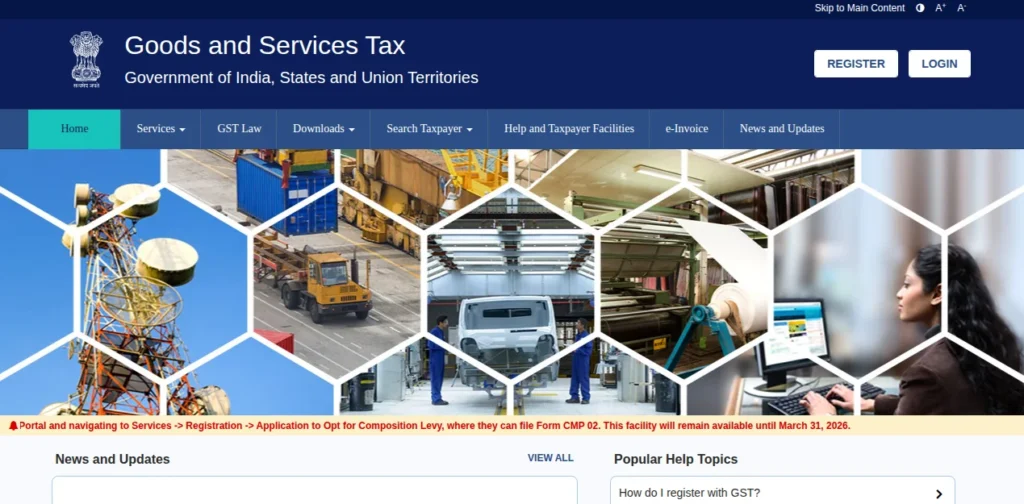
1. Visit the Official GST Website
Open your browser and go to the GST portal at gst.gov.in.
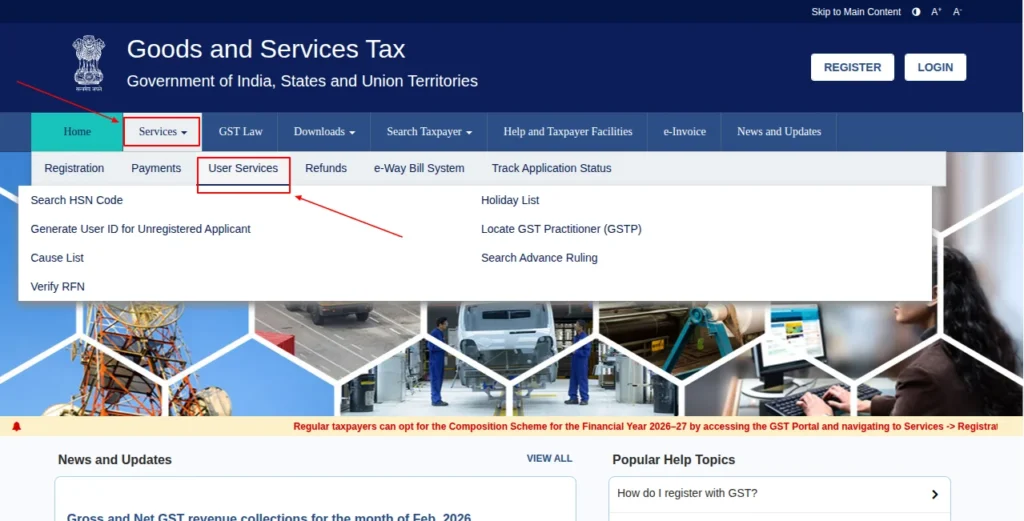
2. Access User Services
From the main menu, click “Services” and then select “User Services.” This section contains options for registrations and enrollment.
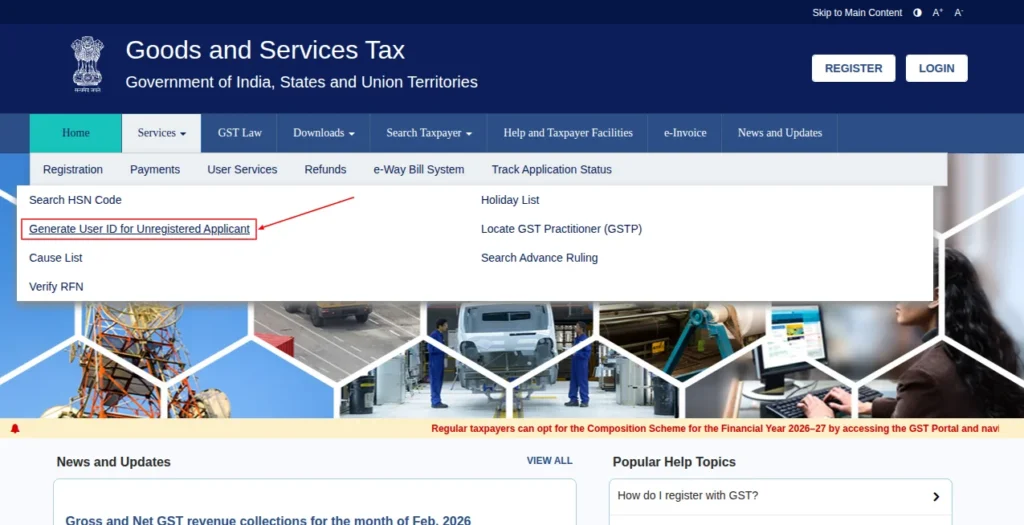
3. Start the Enrollment Process
Click on the “Generate User ID for Unregistered Applicant” option. This will allow you to initiate the process as someone without a GSTIN.
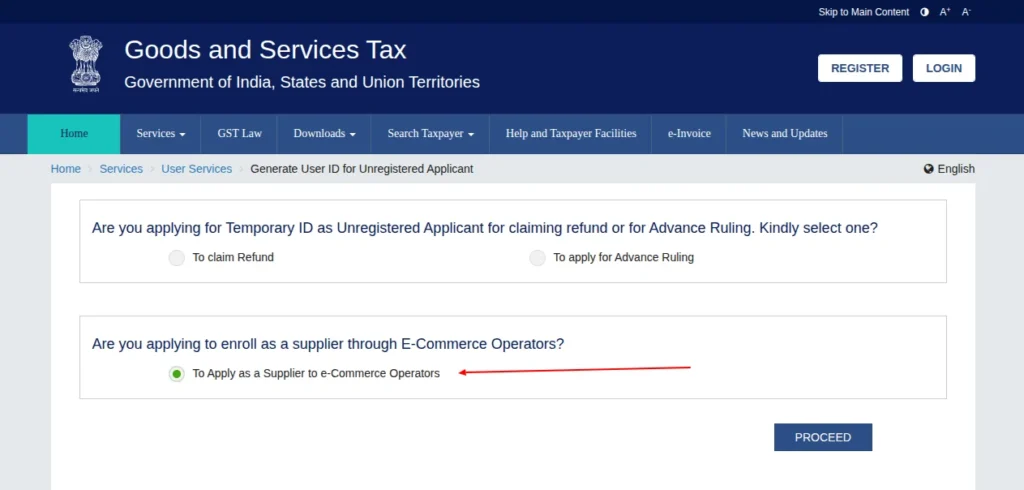
4. Choose the E-Commerce Supplier Option
Select the option: “Are you applying to enroll as a supplier through E-Commerce Operators?”
Then, choose “To Apply as a Supplier to e-Commerce Operators” to proceed further.
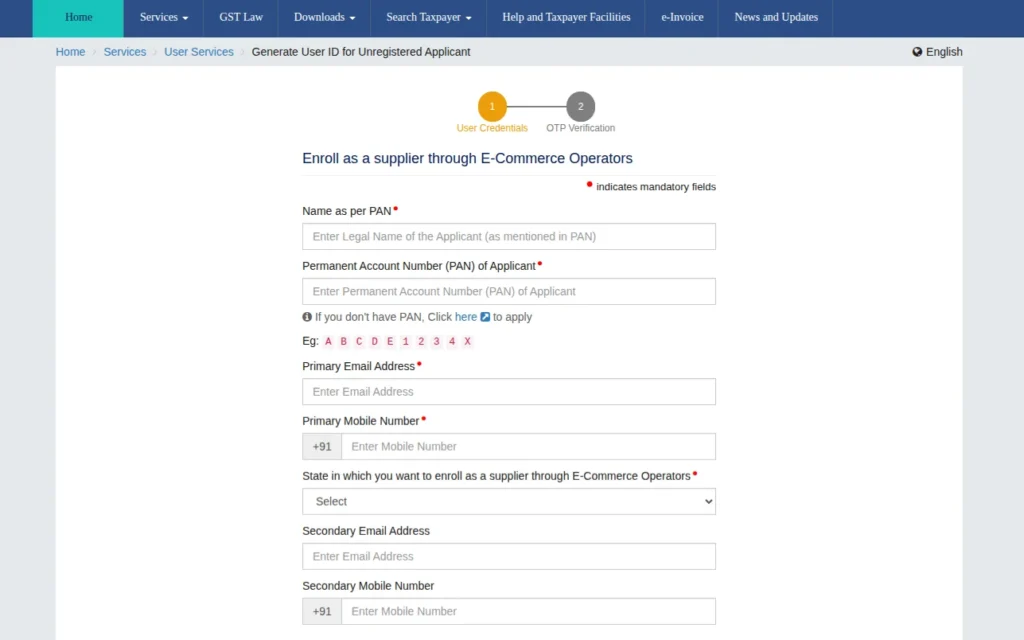
5. Fill Out Your Details
You’ll be asked to enter the following information. Complete all the fields carefully and accurately.
- Business/Seller Name
- PAN Details
- Email ID
- Mobile Phone Number
- State of Operation
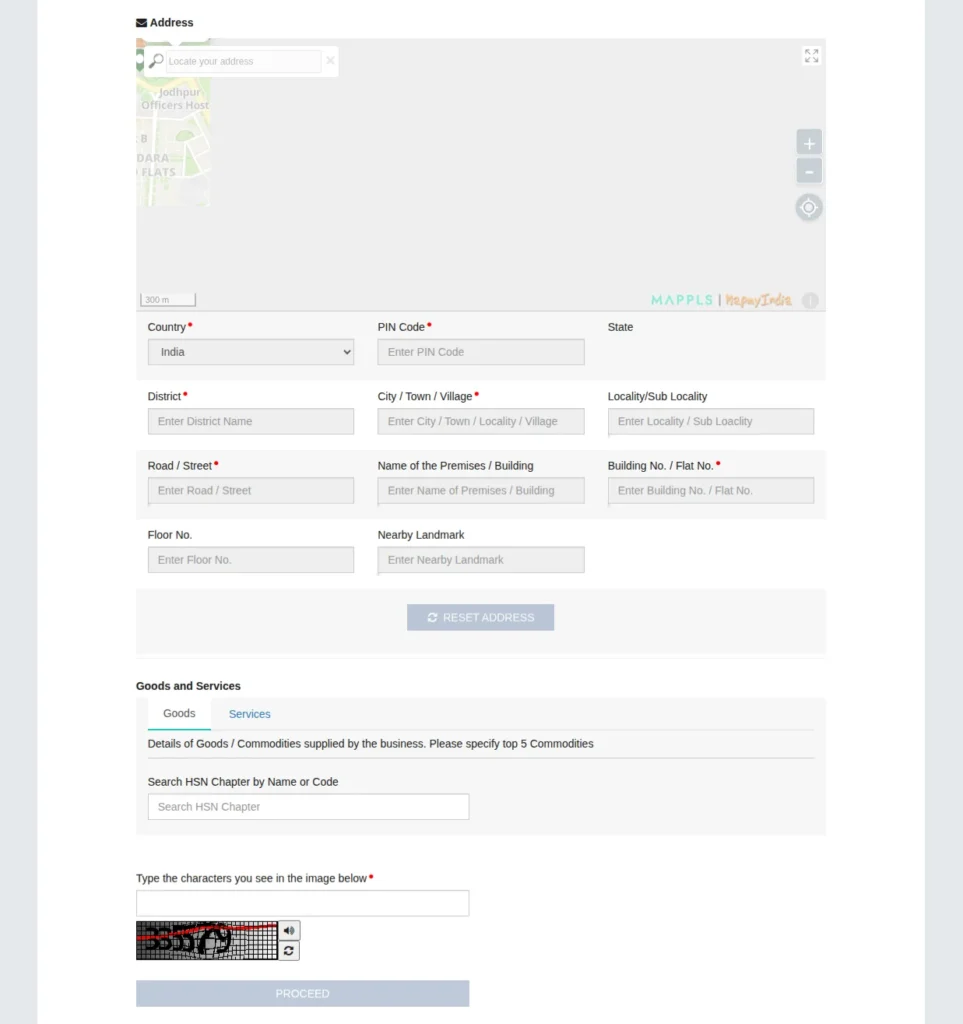
- Complete Address
- Applicable HSN Code
- Captcha Verification
6. Verify Using OTP
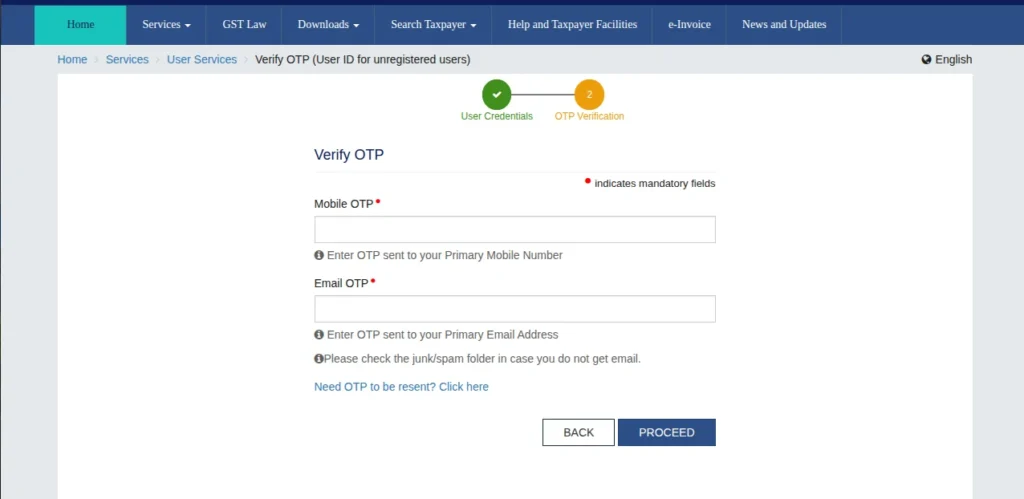
Once your information is submitted, you’ll receive a one-time password (OTP) on your mobile number and email. Enter the OTP to verify your account.
7. Receive Your Enrollment Number
After successful verification, the portal will issue your Enrollment Number. You can then use it to register on eComviser.
Next Steps After Getting Your Enrollment Number
Once you have received your Enrollment Number:
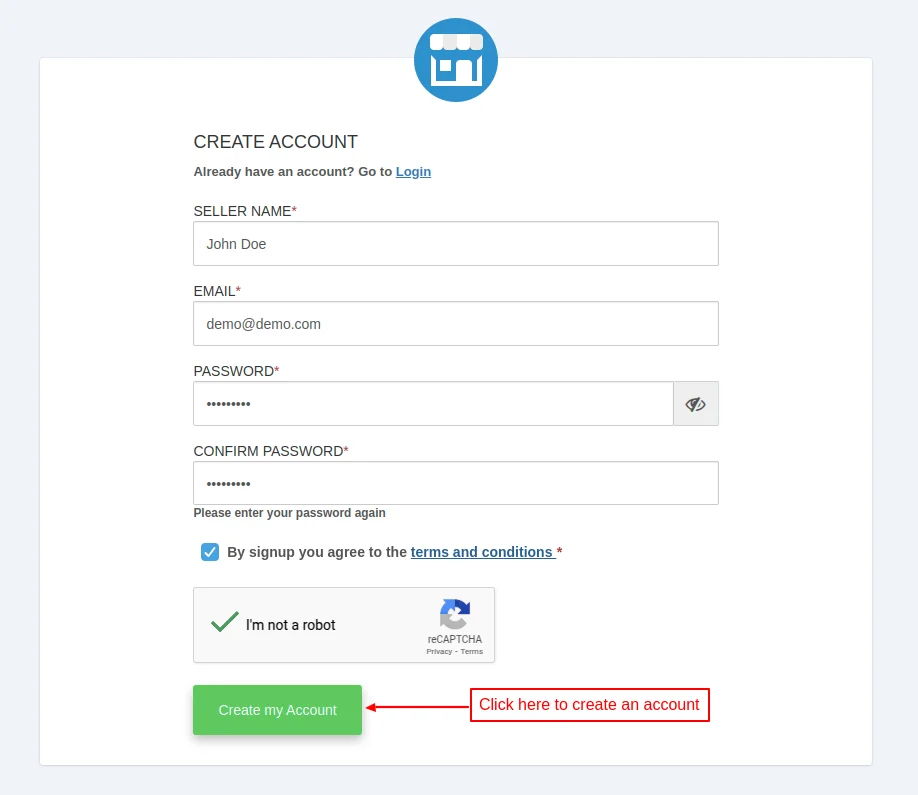
- Visit the eComviser seller registration page.
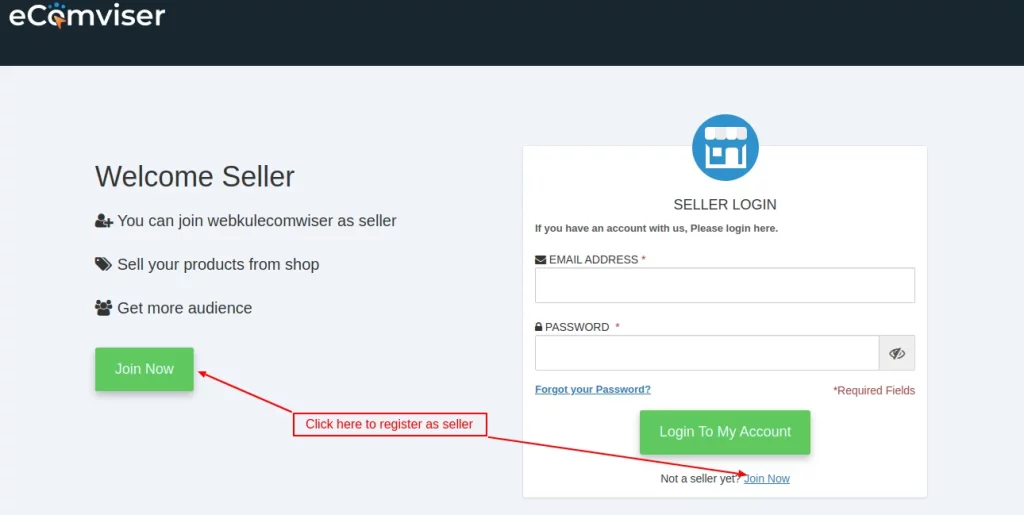
- Fill in the required details and create your account.
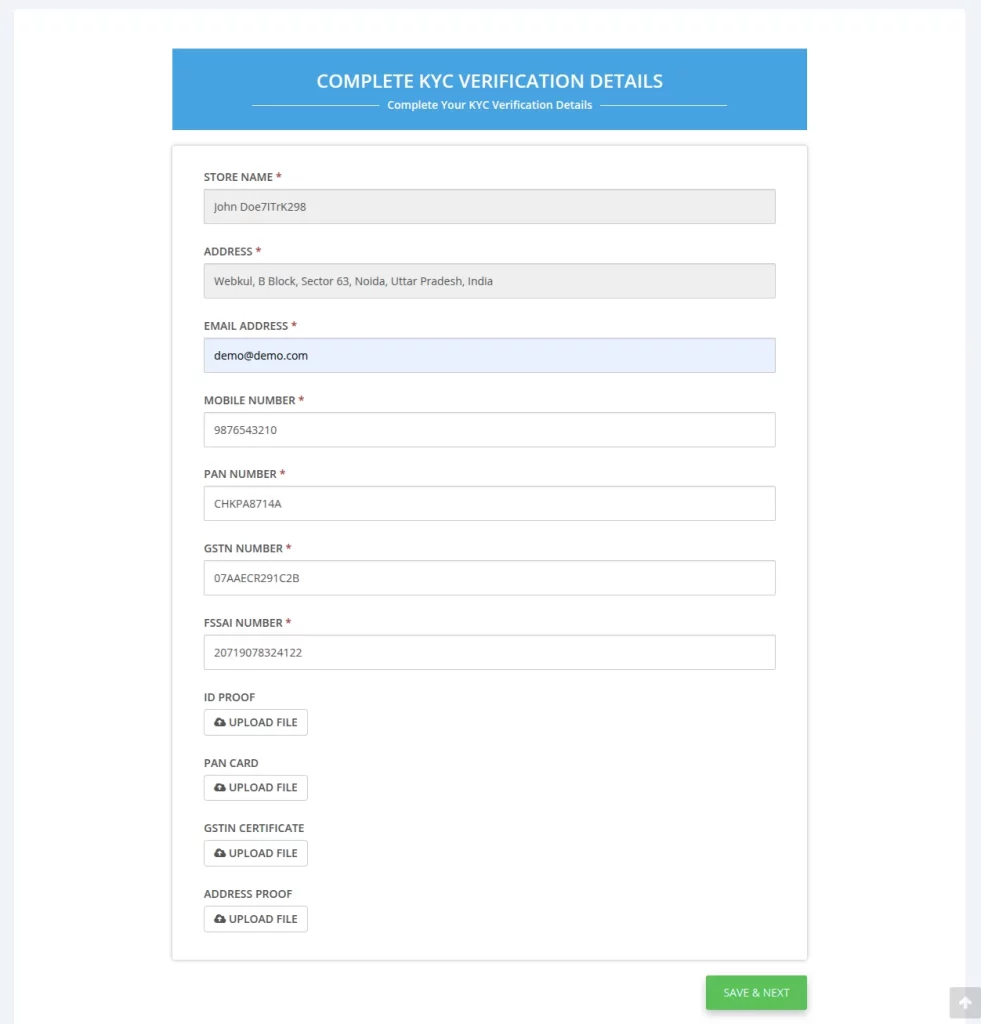
- Complete the onboarding process by submitting the necessary documents for Seller KYC.
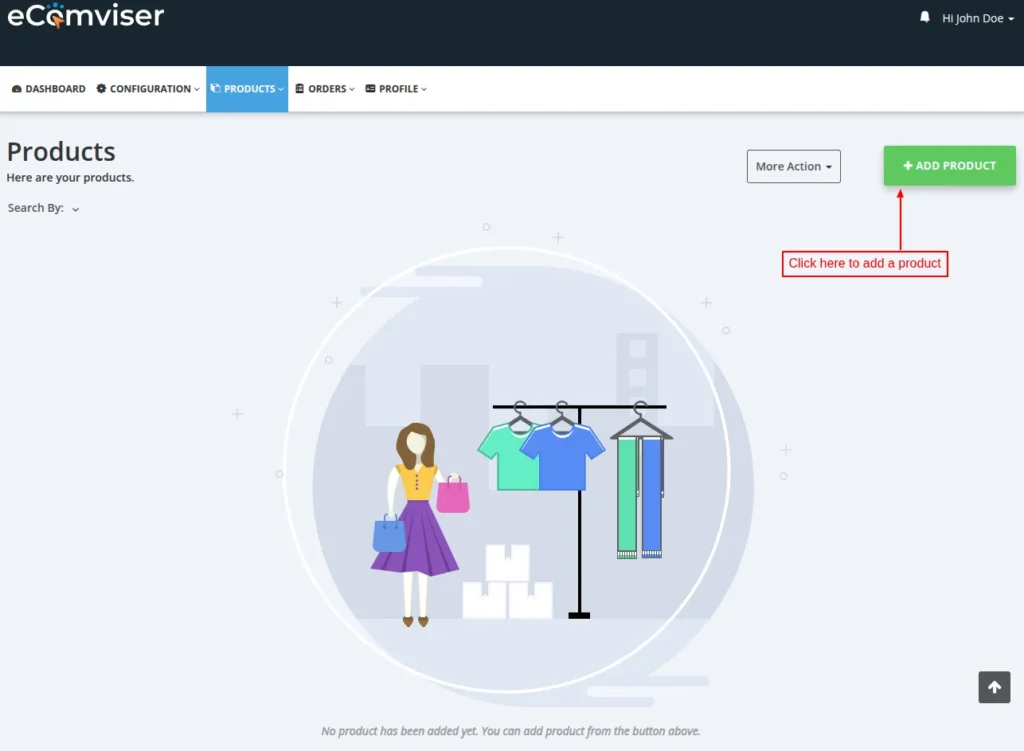
- After successful verification, you can add your products and begin selling on the ONDC network.
This was all about the step-by-step process for generating the GST Enrollment Number for eComviser.
I hope this document helps you better understand the process more effectively. Also, do let us know about your views in the comments.
Support
For any kind of technical assistance or query, please raise a ticket at http://webkul.uvdesk.com or send us a mail at [email protected]


Be the first to comment.